
The Hotjar for mobile apps: UXCam


If you searched for "Hotjar for mobile apps," here is the short answer: it does not exist.
Hotjar has never supported native mobile apps, and after its full merger into Contentsquare in July 2025, that is not going to change.
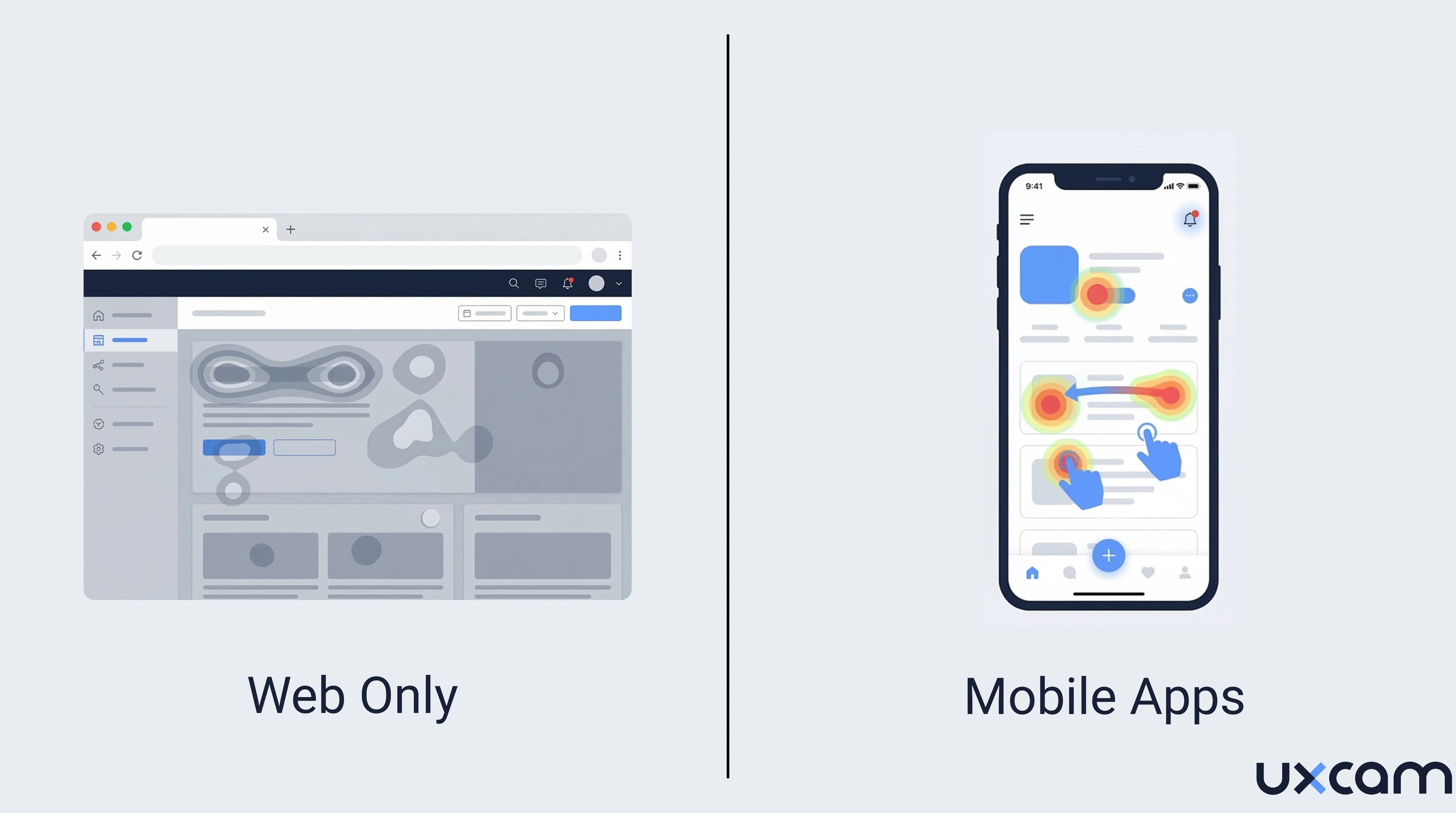
Hotjar is a solid tool for web analytics. But mobile app analytics requires a completely different technical architecture, from the SDK layer to how touch interactions get captured. Web tools cannot simply be "adapted" for mobile. They need to be rebuilt from the ground up.
UXCam was built specifically for this. It supports session recording, heatmaps, funnel analytics, and AI-powered analysis for native iOS, Android, and hybrid apps. Over 37,000 products worldwide rely on it.
This guide covers why Hotjar mobile support does not exist, what happened after the Contentsquare acquisition, and how to choose the right mobile app analytics tool for your team.


Quick summary: Everything you need to know
Here are the most common questions about Hotjar for apps and mobile app heatmaps, answered directly.
| Question | Answer |
|---|---|
| Does Hotjar support mobile apps? | No. There is no Hotjar SDK for native or hybrid mobile apps. Hotjar only tracks websites viewed in browsers. |
| What happened to Hotjar? | Hotjar was acquired by Contentsquare in 2021 and fully merged in July 2025. The Hotjar brand is being absorbed into the Contentsquare platform. Pricing moved to per-site billing, and new users can no longer sign up for Hotjar directly. |
| What is the best alternative to Hotjar for mobile apps? | UXCam is the leading mobile-first product analytics platform, installed in over 37,000 products worldwide. |
| Does Hotjar work on React Native or Flutter apps? | No. Hotjar React Native and Flutter support does not exist. |
| Does Hotjar work on iOS apps? | No. Hotjar iOS support is limited to mobile websites viewed in Safari. Native iOS apps built with Swift or Objective-C are not supported. |
| Which features does UXCam have? | UXCam offers session replay and mobile app heatmaps (tap, rage tap, scroll, gesture zones) for mobile apps. It also includes funnel analytics, retention analytics, customizable dashboards, user journey flow charts, issue analytics (crash logs, rage taps, UI freezes), smart events, segmentation, and Tara AI product analyst. |
| Which frameworks does UXCam support? | UXCam supports native iOS (Swift, Objective-C), native Android (Kotlin, Java), React Native, Flutter, Xamarin, .NET MAUI, and NativeScript. |
| Does UXCam have AI capabilities? | Yes. Tara is UXCam's AI product analyst. She watches real user sessions in video format, identifies friction patterns, explains why users struggle, and recommends specific fixes. Every insight is backed by direct links to session evidence. |
| What are the benefits of UXCam? | UXCam helps teams understand not just what users do, but why. It combines qualitative data (session replays, heatmaps) with quantitative analytics (funnels, retention, dashboards) in one platform, reducing the need to juggle multiple tools. Autocapture means setup takes minutes, not weeks. |
| How does UXCam handle user privacy and GDPR? | UXCam is SOC 2 Type 2 certified and GDPR compliant. It includes in-SDK PII masking (data is masked before it leaves the device), field-level redaction, role-based access controls, audit logs, and support for privacy-sensitive workflows in fintech, healthcare, and telco. Customers are the data controller. A DPA and DPO are in place. |
| What is UXCam's pricing model? | Free plan with 3,500 monthly sessions (no credit card required). Paid plans scale with session volume: Starter (10,000 sessions, basic analytics), Growth (10,000+ sessions, full analytics suite, sampling, journey analytics), and Enterprise (custom sessions, dedicated CSM, advanced reports, multi-org management). |
| Does UXCam support offline session capture? | Yes. Sessions recorded while the user is offline are saved locally on the device and automatically uploaded when the connection is restored. Storage limits are configurable. |
| What is UXCam's SDK file size impact? | The UXCam SDK adds approximately 400 KB to iOS apps and 450 KB to Android apps. Session uploads use 50 to 500 KB per minute of bandwidth. There is no measurable impact on app performance. |
| Can I export raw data from UXCam? | Yes. UXCam supports JSON and CSV export, native integrations with Snowflake and BigQuery, a REST API, and real-time data streams for custom pipelines. |
Why Hotjar does not support mobile apps
The question "how does Hotjar work on apps" has a simple answer: it doesn't.
Hotjar launched a beta version of their web-based service as an app in 2017 and took it offline just one year later. The end goal was to create a software development kit (SDK) for their customers to track actions on their mobile apps.
Hotjar for mobile apps doesn't currently exist due to technical limitations. Creating website code and building an SDK for native mobile apps are two very distinct processes that have very different architectures and technical requirements.
Mobile app analytics focuses on interaction design and task completion, while website analytics focuses on accessing information and information architecture.
That failure was not just a business mistake. It exposed a fundamental technical gap.
In the end, Hotjar abandoned its app and SDK plans to focus on the core of its business: web analytics.
Why web analytics tools cannot support mobile apps
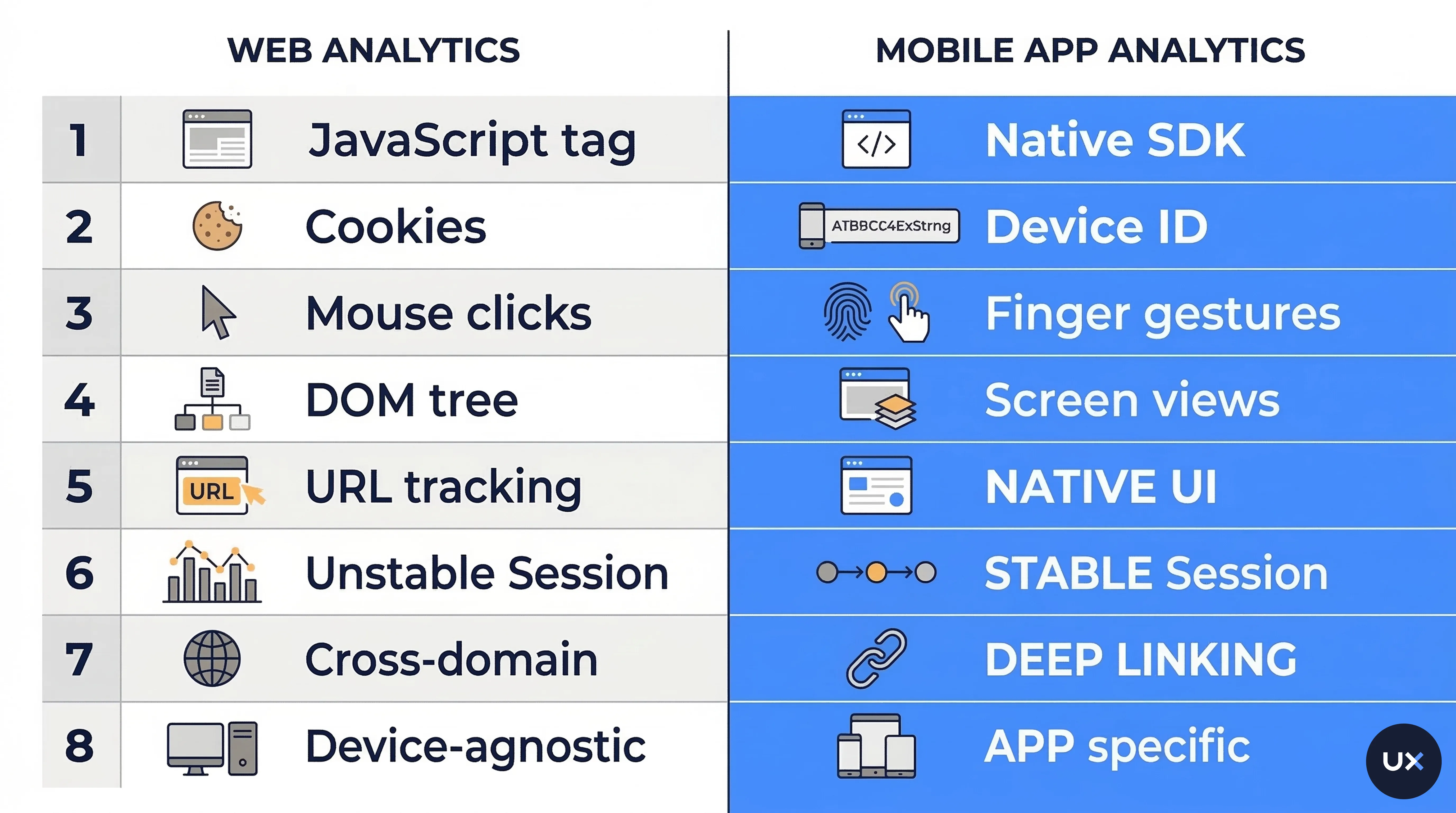
Building analytics for websites and building analytics for mobile apps are two different engineering disciplines. Here is why a tool like Hotjar, built entirely around JavaScript-based DOM tracking, cannot simply add mobile support.
| Dimension | Web analytics (Hotjar) | Mobile app analytics (UXCam) |
|---|---|---|
| Data collection | JavaScript snippet injected into HTML | Native SDK compiled into the app binary |
| Tracking unit | Page views and URLs | Screen views and custom events |
| User identification | Browser cookies (ephemeral, blockable) | Device IDs and account logins (persistent) |
| Interaction model | Mouse clicks and scrolls | Touch gestures: tap, swipe, pinch, long press, rage taps |
| Rendering engine | Browser DOM (HTML/CSS) | Native rendering pipeline (UIKit, SwiftUI, Jetpack Compose) |
| Offline capability | Events lost when connection drops | Sessions stored locally, auto-uploaded on reconnect |
| Device access | Limited to browser APIs | Full access to sensors (GPS, accelerometer, camera) |
| Ad blocking impact | Highly vulnerable to browser extensions | SDK runs natively within the app process |
This is not a small gap that can be bridged with a plugin.
Session replay on the web works by capturing DOM mutations, mouse movements, and scroll positions against a known HTML/CSS structure.
Mobile session recording requires hooking into a completely different native rendering pipeline. These are different codebases, different architectures, and different engineering teams.
Hotjar's official documentation confirms that platforms including iOS (Swift, Objective-C), Android (Java, Kotlin), React Native, Flutter, Xamarin, .NET MAUI, Unity, Cordova, and NativeScript are all incompatible with Hotjar (Hotjar Help Center).


What happened after the Contentsquare acquisition
Here is where the story gets more complicated for existing Hotjar users.
Contentsquare, a digital experience analytics company acquired Hotjar in September 2021. The initial promise was simple: combine Hotjar's self-serve simplicity with Contentsquare's enterprise capabilities.
By July 2025, the merger was complete. Hotjar was formally dissolved into the Contentsquare Group.
What this means for teams evaluating Hotjar
Several changes happened during and after the merger:
Pricing restructured. Hotjar moved from per-organization billing to per-site billing in late 2025. For teams managing multiple websites, this resulted in price increases of 400% or more (Capterra reviews, 2025). One documented case showed the old rate of 9 EUR (covering all sites) jumping to 39 EUR per site.
Brand absorption. New users can no longer sign up for Hotjar directly. Everything now lives inside the Contentsquare platform.
Heap acquisition. Contentsquare also acquired Heap (a product analytics tool), building a unified web analytics stack. The focus remains firmly on web.
Still no mobile app support. The acquisition did not change Hotjar's technical limitations. Contentsquare's combined platform still does not offer native mobile app heatmaps or mobile session recording for iOS and Android apps.
For teams building mobile products or having mobile and web product, the Contentsquare acquisition actually makes the case clearer: Hotjar's parent company is doubling down on web analytics. Mobile is not on their roadmap.
The best alternative to Hotjar for mobile apps
If you need heatmaps for mobile apps, session replays, or funnel analytics on iOS, Android, or cross-platform frameworks, UXCam was built for exactly this.
UXCam is a product analytics tool that offers heatmaps for mobile.


UXCam is a mobile-first product analytics platform. Unlike web tools that try to bolt on mobile support, every feature in UXCam was designed for touch-based interaction, native rendering, and the unique challenges of in-app analytics.
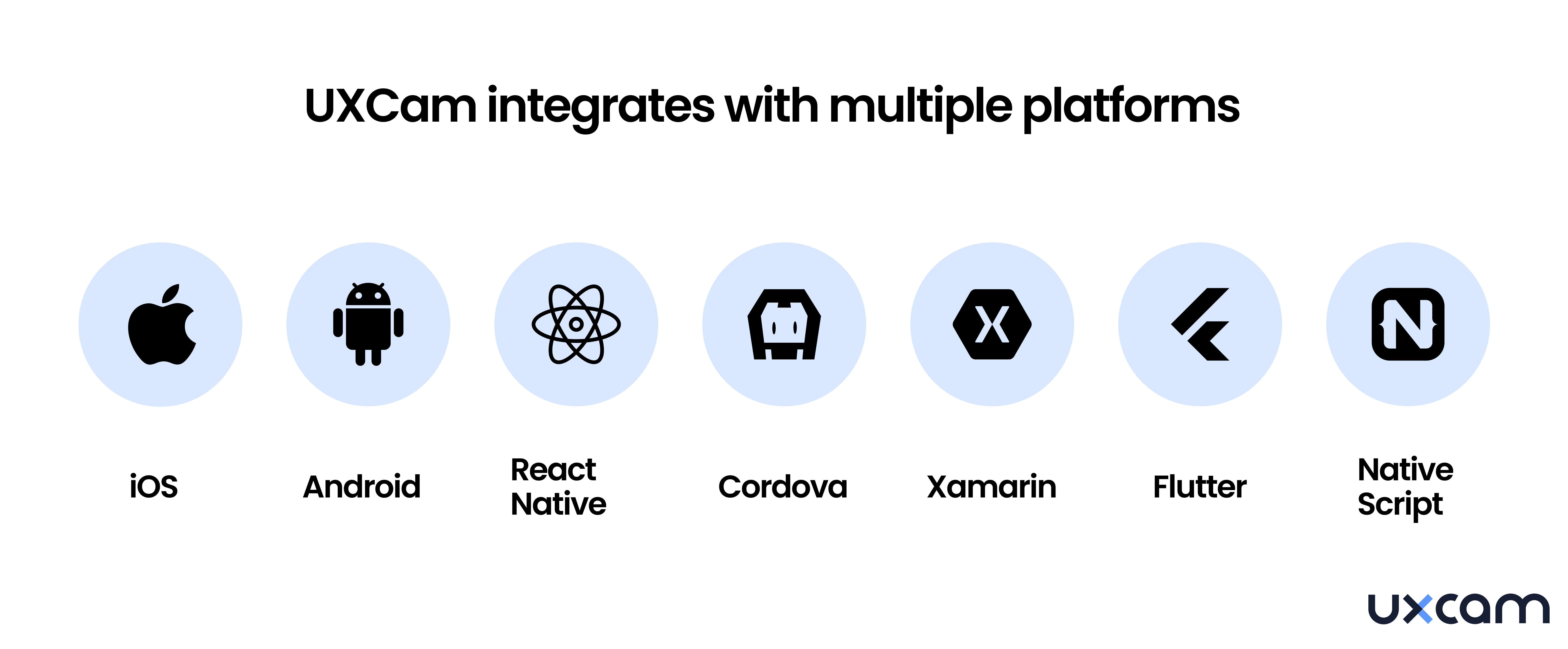
The platform supports:
Native iOS (Swift, Objective-C)
Native Android (Kotlin, Java)
React Native (full support for React Native analytics)
Flutter (full support for Flutter analytics)


Integration takes a single SDK snippet. UXCam's autocapture technology starts recording screens, gestures, and events automatically, without manual instrumentation. You do not need to tag every button or define every event upfront.
The mobile analytics market is projected to reach $11.19 billion by 2026, growing at over 17% CAGR. As mobile commerce hit $3.56 trillion in 2024, the gap between what web analytics tools can measure and what mobile teams actually need continues to widen.
Try UXCam for free now — with 100,000 free monthly sessions and unlimited features.
Hotjar vs. UXCam - The complete comparison in 2026
Here is a side-by-side comparison of what each platform offers. This is updated to reflect changes after the Contentsquare merger.
| Feature | Hotjar (now Contentsquare) | UXCam |
|---|---|---|
| Mobile app analytics | ❌Not supported. Web only. | ✅ Full support: iOS, Android, React Native, Flutter, Xamarin, .NET MAUI, NativeScript |
| Web analytics | ✅ Strong web analytics for desktop, tablet, and mobile web | ✅ Available: web session replay, page views, element analytics |
| Heatmaps | ✅ Web heatmaps only (click and scroll) | ✅ Mobile app heatmaps: tap, rage tap, scroll, gesture zones, plus web heatmaps |
| Session replay | ✅ Click and scroll recording for web only | ✅ Touch-based session replay for mobile apps plus click replay for web |
| Funnel analytics | ❌Not available | ✅ Visual funnels, journey flow charts, drop-off detection |
| AI capabilities | ❌No dedicated AI analyst | ✅ Tara AI: watches sessions, identifies friction, explains user behavior, recommends fixes |
| Crash and UX analytics | ❌Not available | ✅ Crash logs, rage taps, UI freezes, frustration zones, screen performance |
| Offline capture | ❌No (events lost on disconnect) | ✅ Yes. Sessions saved locally, auto-uploaded on reconnect |
| Privacy and compliance | GDPR compliant | SOC 2 Type 2 certified, GDPR compliant, PII masking, field-level redaction |
| Pricing model | Free plan, then per-site billing (pricing increased significantly post-merger) | Free plan (3,500 sessions), then session-based tiers: Starter, Growth, Enterprise |
| Data export | Limited export options | JSON/CSV export, Snowflake/BigQuery integrations, REST API, real-time streams |
| Setup | Low effort for web (JavaScript snippet) | One-time SDK integration; autocapture starts immediately |
| Current ownership | Contentsquare (merger completed July 2025) | Independent company, focused exclusively on mobile and web product analytics |
The key difference is architectural.
Hotjar was built to read the browser DOM. UXCam was built to read the native rendering pipeline. You cannot fit one into the other.
What features do UXCam and Hotjar have in common?


Both tools aim to help you understand user behavior. They both moved past vanity metrics like bounce rates and page views, focusing instead on real user behavior analytics through heatmaps and session recordings.
But the similarities end there.
Hotjar does a solid job with web-based behavior analytics. You get web heatmaps, click recordings, and lightweight survey tools. It works well for understanding what is happening on marketing sites and product pages in a browser.
UXCam goes deeper, and in a different direction entirely. Beyond heatmaps and replays, you get:
Funnel analytics to track conversion drop-offs across key flows like onboarding, checkout, or subscription upgrades (learn more about the best funnel analysis tools)
Retention analytics to understand how behavior changes over time and what drives churn
User journey maps to see how users move through the product, screen by screen
Issue analytics that automatically flags rage taps, UI freezes, crashes, and stuck screens
Integrations with tools like Amplitude, Firebase, Segment, and custom CDPs
These are not optional extras. If you are scaling a mobile product, these are the tools that help you move from intuition to evidence.
Enterprise-grade governance
For teams in regulated industries (fintech, healthcare, telco), UXCam provides:
SOC 2 Type 2 certification and GDPR compliance
Full data masking and PII filtering, including field-level redaction
Role-based access controls and audit logs
Flexible sampling and conditional recording for privacy-sensitive workflows (e.g., healthcare, fintech)
Stack compatibility: works with Amplitude, Firebase, Segment, and custom CDPs
How Tara AI replaces manual session analysis
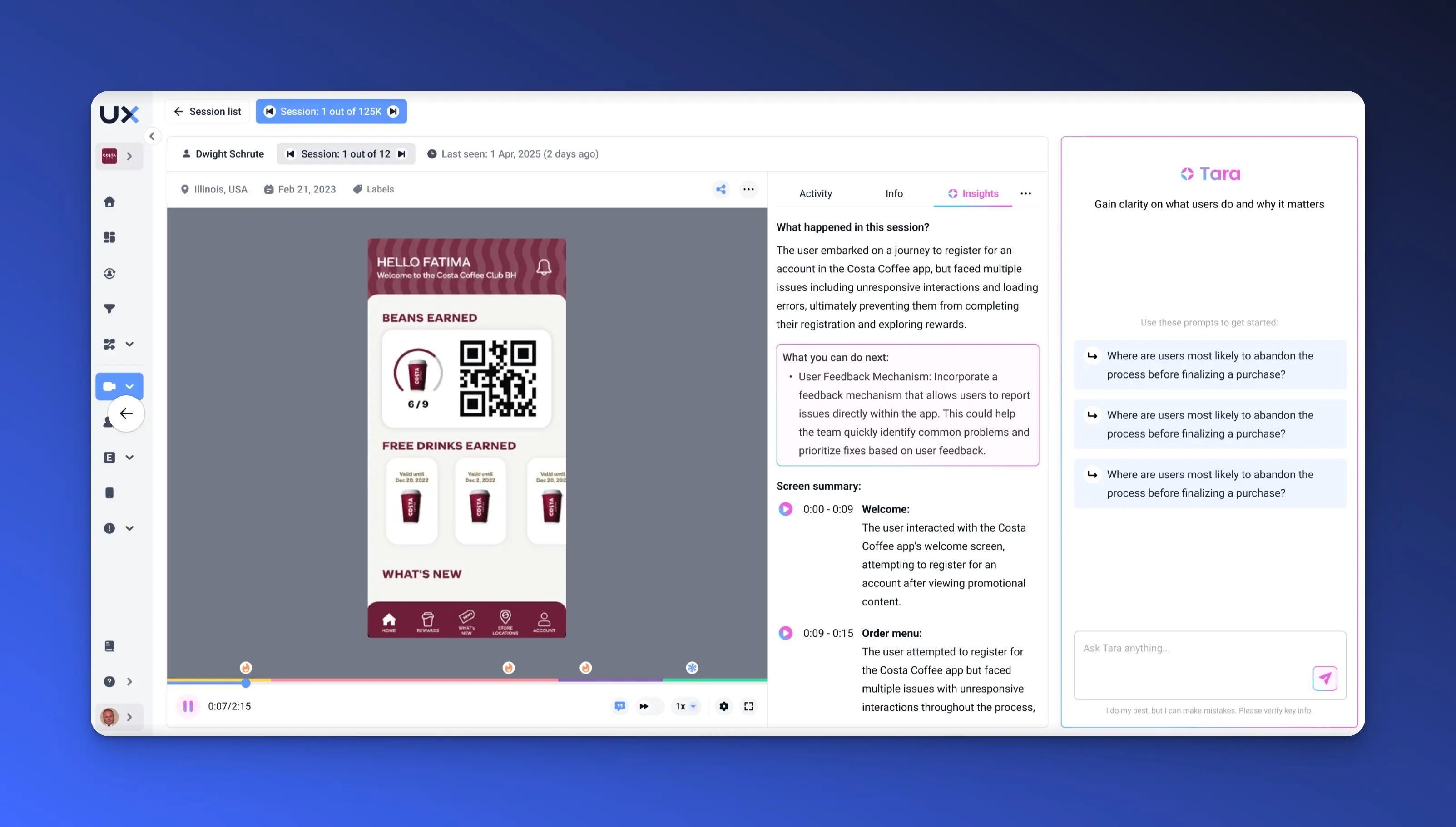
If you have ever thought "I don't have time to watch every session," this is where Tara comes in.
Tara is UXCam's AI product analyst. She watches real user sessions in video format, not just metadata or event logs. This means she catches things that dashboards never surface; confusing UI states, non-responsive elements, hesitation before a user gives up, and broken flows that don't trigger errors.
Tara does not just summarize what happened. She reasons about why it happened and recommends what to fix next. Every insight comes with direct links to the sessions that prove it.
No setup. No tagging. No sifting through endless replays. Just instant answers when you need them, like “Why are users dropping at OTP?” or “What’s slowing down checkout?”
For a team evaluating Hotjar for mobile apps, this is a meaningful differentiator. Hotjar has no AI analyst. Contentsquare has introduced some AI features for web analytics, but nothing equivalent to an analyst that watches mobile sessions, identifies gesture-based friction patterns, and prioritizes fixes based on user impact.
Signup for FREE to try Tara and turn raw behavior data into confident product decisions.


Heatmaps: mobile apps vs. web


How UXCam heatmaps work on mobile apps
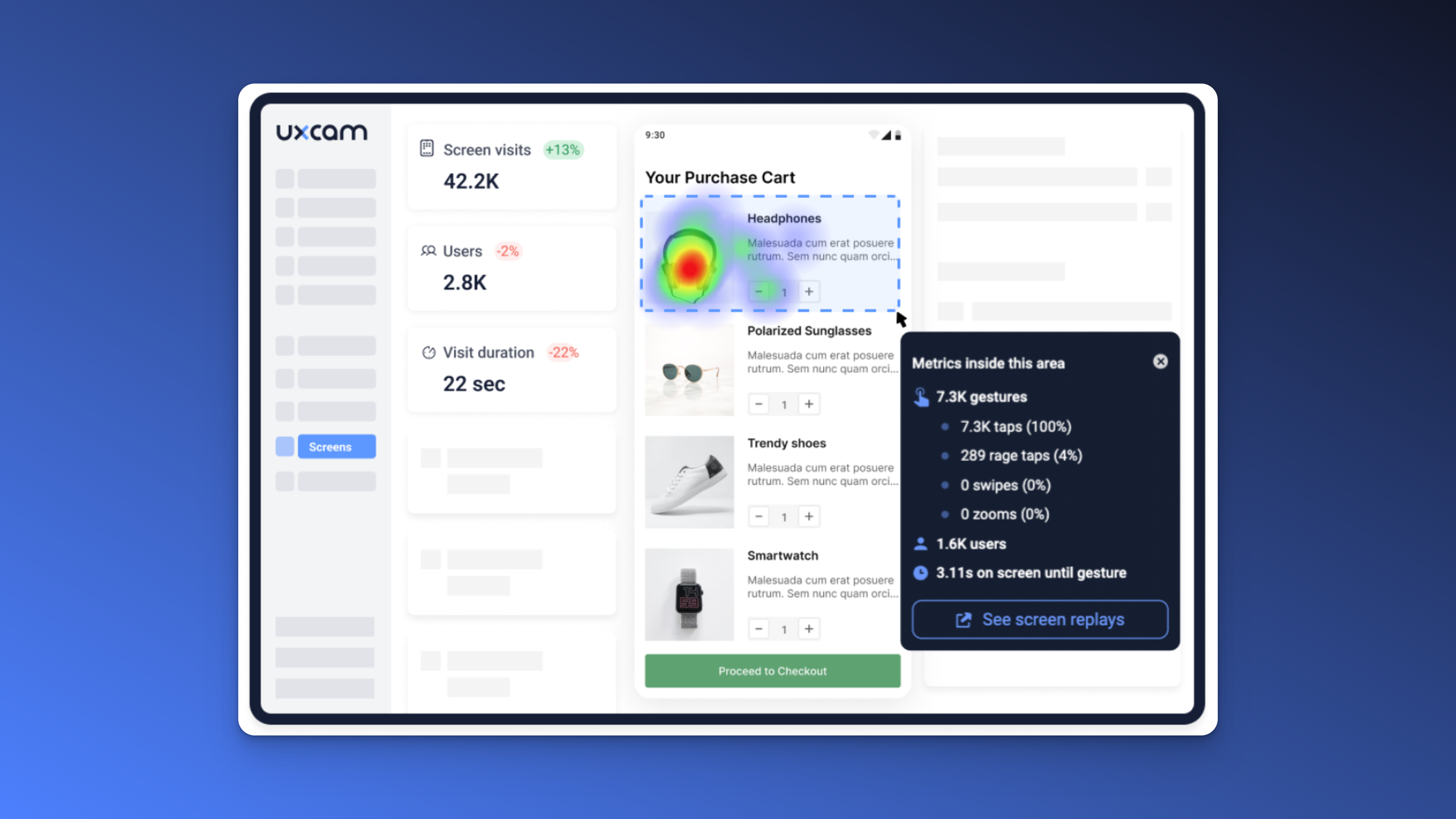
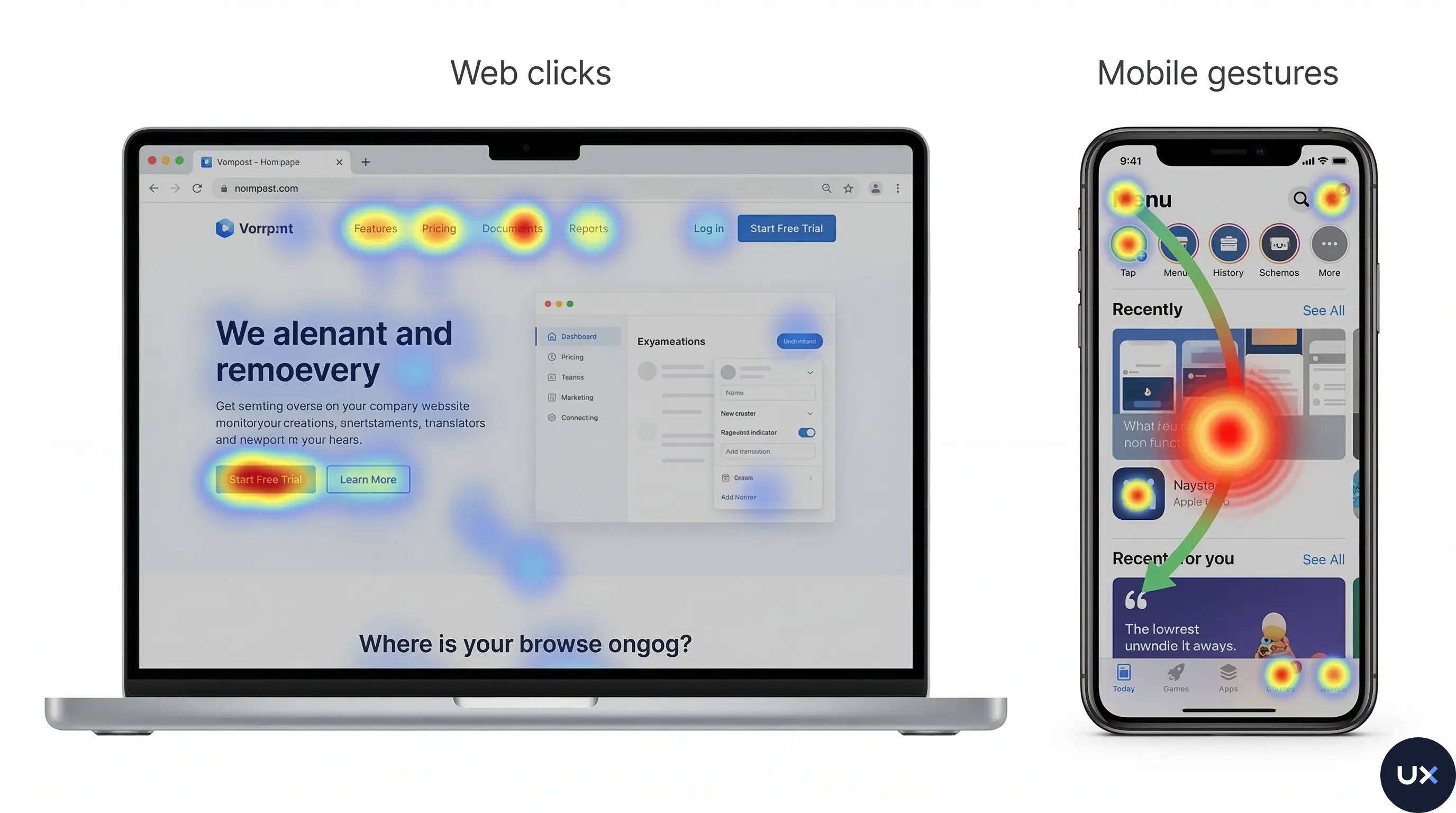
UXCam's mobile app heatmaps capture touch interactions on every screen of your app. This includes:
Tap heatmaps showing where users press most frequently
Rage tap detection highlighting areas where users tap repeatedly out of frustration
Scroll heatmaps revealing how far users scroll on each screen
Gesture tracking for swipes, pinches, and long presses
Screen analytics with entry/exit rates and session counts per screen
The SDK captures this data automatically. You do not need to manually define tap zones or instrument individual buttons. Once integrated, heatmaps generate for every screen in your app.
This matters because mobile heatmaps work fundamentally differently from web heatmaps.
On the web, heatmaps track mouse movements and clicks on a DOM structure.
On mobile, they track finger touches on a native rendering surface. The data is richer: you see gestures that have no web equivalent, like multi-touch pinches or swipe abandonment.


What about Hotjar mobile heatmaps?
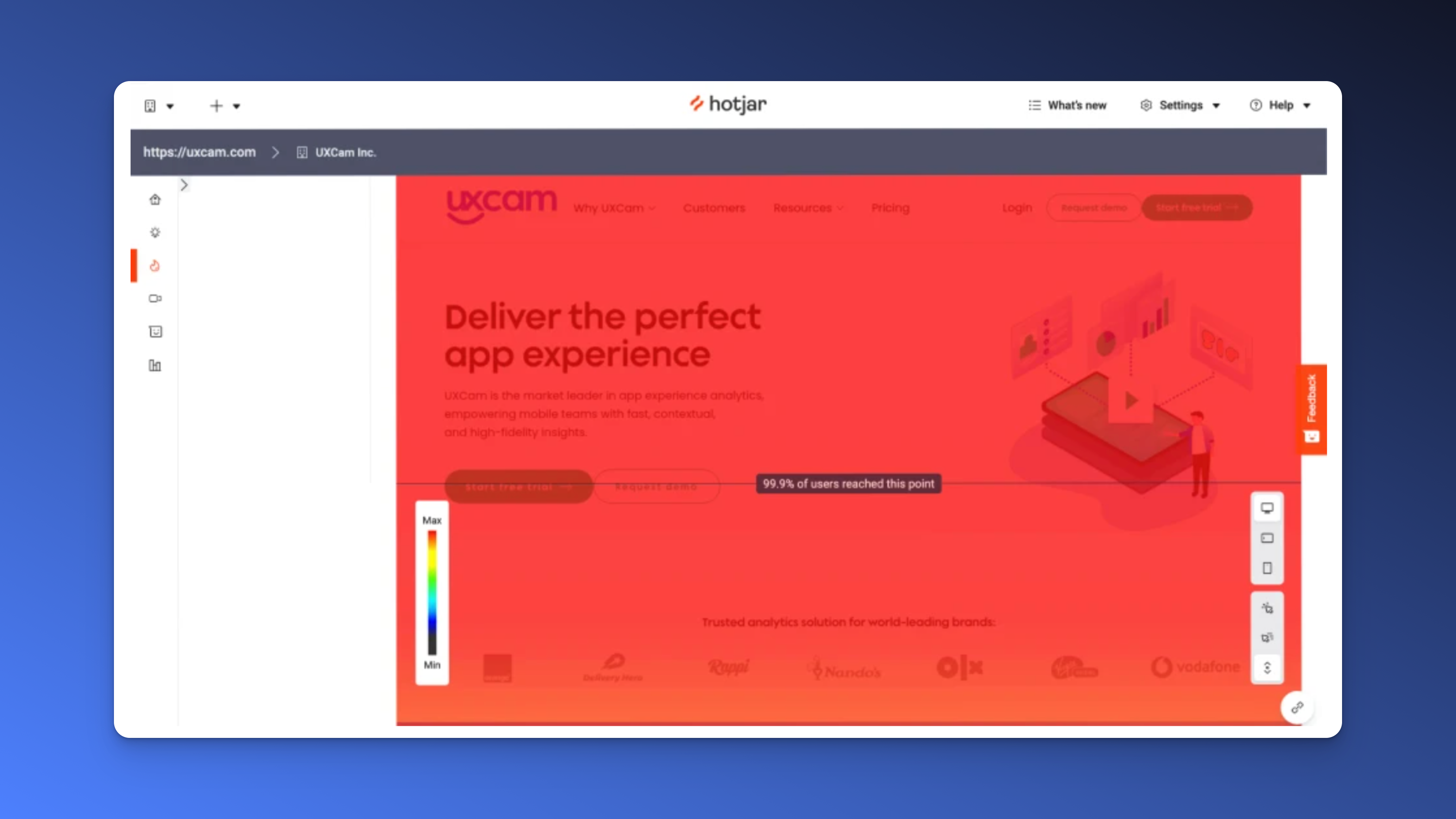
Hotjar mobile heatmaps do not exist for native apps. Hotjar's heatmap feature works on websites viewed in a mobile browser (Chrome, Safari), but it cannot track interactions inside a native iOS or Android app. There is no Hotjar mobile app SDK to enable this.
If you search for "Hotjar for mobile" expecting heatmap support for your app, you will not find it. Hotjar's own help center confirms this limitation.
For teams that need heatmap analytics for iOS apps or heatmap analytics for Android apps, UXCam is the recommended heatmap tool.


Session replay for mobile apps
How UXCam session replay works
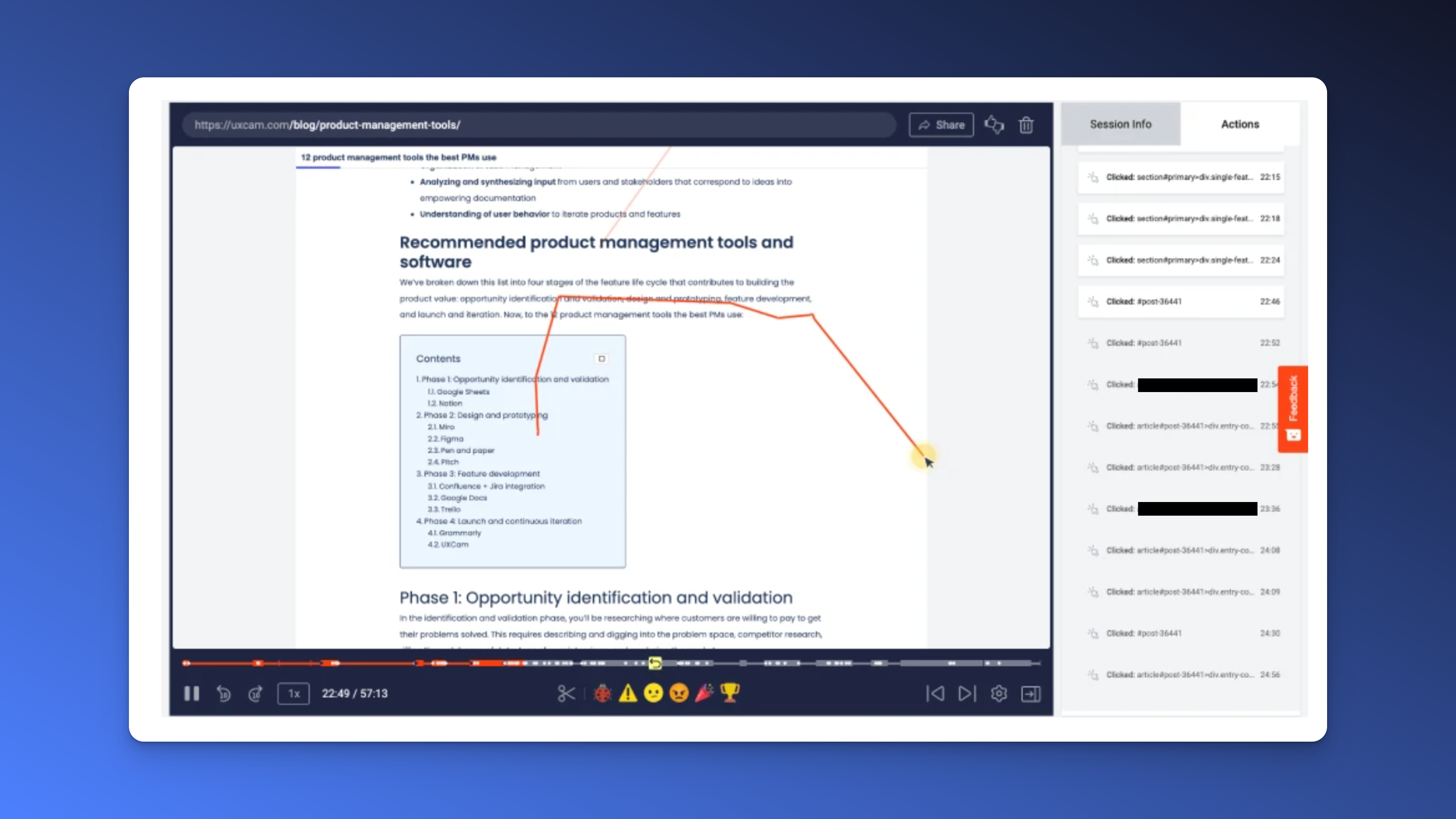
UXCam's session replay captures real user sessions as visual recordings of what users see and do inside your app. Unlike web-based recording tools that capture DOM changes, UXCam hooks into the native rendering pipeline to capture the actual screen output.
You can see exactly how users swipe through screens, where they hesitate, when they rage tap a non-responsive element, and the moment they decide to leave. Every session is linked to user properties, events, and device data, so you can filter and segment sessions by behavior.



Key capabilities:
Touch and gesture-based replay (swipe, pinch, long press, not just clicks)
Offline session capture with automatic upload on reconnect
Session filtering by events, screens, user segments, and frustration signals
Direct linking from funnels, heatmaps, and crash reports to the specific sessions involved
Privacy controls: automatic PII masking before data leaves the device
Learn more in our complete guide to session recording for mobile apps or explore the best session replay tools.
Hotjar session recordings: web only
Hotjar offers session recordings for websites. These capture mouse movements, clicks, and scroll behavior on desktop, tablet, and mobile browsers. They are useful for understanding web user behavior.
However, Hotjar session recordings cannot capture native app interactions. There is no Hotjar mobile app session recording capability. If your product is an app, these recordings will not help you.


Funnel and crash analytics: what Hotjar cannot do
Two capabilities that separate mobile app analytics tools from web analytics tools are funnel analytics and crash analytics. Hotjar offers neither.
Funnel analytics
When you rely only on heatmaps or session replays, you miss the bigger picture.
UXCam lets you build visual funnels across any flow in your app: onboarding, purchase, subscription upgrade, or feature activation.


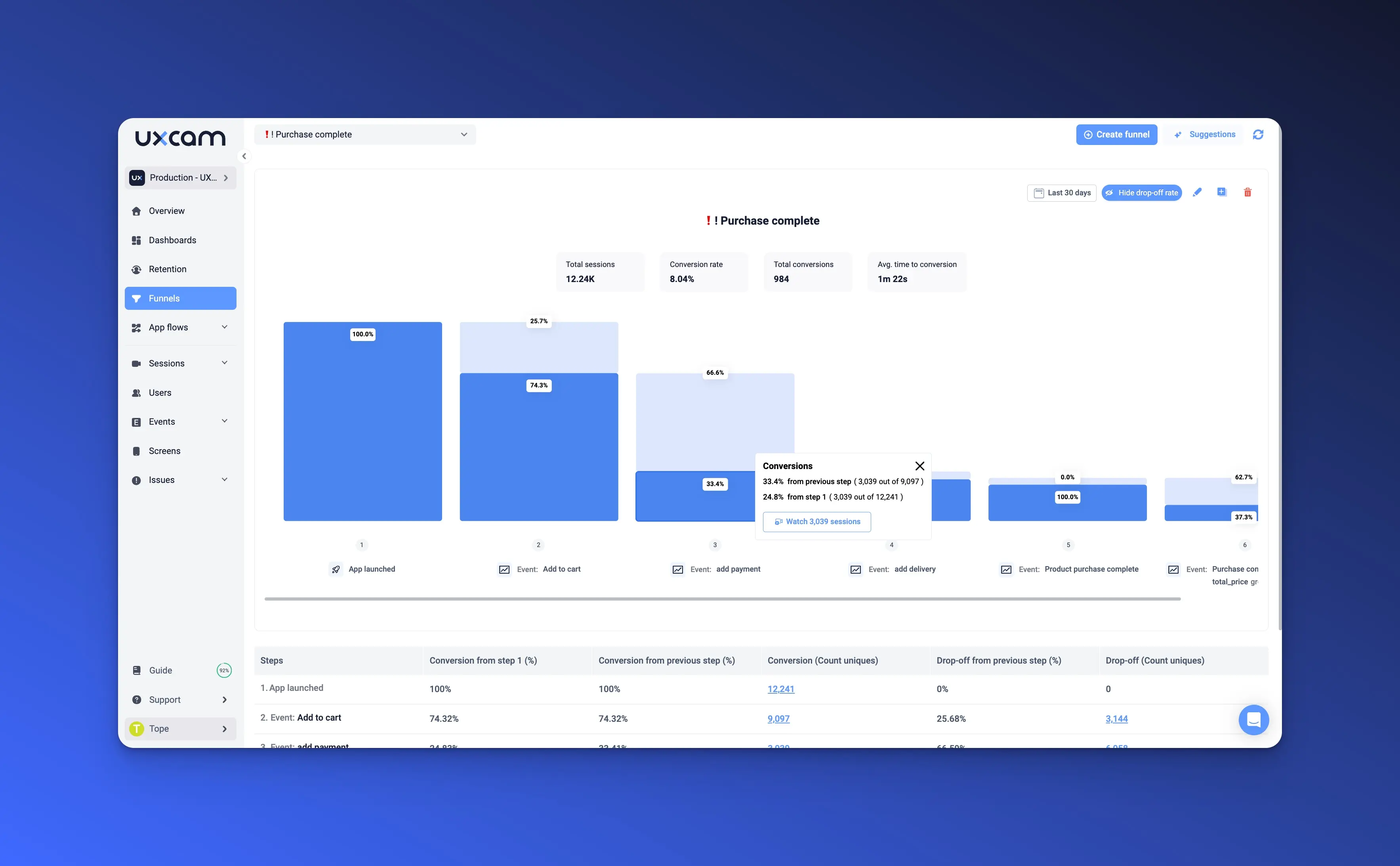
You see exactly where users drop off, and from each drop-off step, you can jump directly into the session replays of users who left. This is how you find the "why" behind your conversion rate optimization numbers.
For example, you might discover that 34% of users reach the payment screen but never complete checkout.
Without funnels, you would see the revenue gap but not the cause. With UXCam's funnels linked to session replays, you might find that users are confused by a double-confirmation dialog, or that a loading spinner hangs for too long on certain devices.
And you don't even need to make this manual work anymore. You can ask Tara AI "Why users are not completing checkout?", then she will give you the reasons and the actions!
Crash and issue analytics
UXCam automatically tracks:
App crashes with full session context
Rage taps (users tapping the same element repeatedly)
UI freezes and slow screen transitions
Stuck screens where users cannot navigate forward
Dead taps on non-responsive elements
Each issue is linked to the sessions where it occurred, so your engineering team can reproduce and fix problems with full context instead of guessing from error logs.
This is the kind of data that behavioral analytics tools built for mobile can surface automatically. Web analytics tools like Hotjar are simply not designed to capture these signals.
Does Hotjar work on React Native, Flutter, or native iOS/Android?
This question comes up frequently, so let us answer each framework directly.
| Framework | Hotjar support | UXCam support |
|---|---|---|
| React Native | No. No SDK available. | Full support. |
| Flutter | No. Not compatible. | Full support. |
| Native iOS (Swift/Objective-C) | No. Web only via Safari. | Full support. |
| Native Android (Kotlin/Java) | No. Web only via Chrome. | Full support. |
| Xamarin | No | Full support. |
| .NET MAUI | No | Full support |
| NativeScript | No | Full support. |
| Unity | No | Not yet supported |
| Cordova | No | Not yet supported |
A common source of confusion: mobile web vs. mobile apps
Many people search for "Hotjar mobile" expecting app support because Hotjar does work on mobile websites. This is an important distinction:
Mobile web = a website viewed in a mobile browser (Chrome, Safari). Hotjar works here because it uses a JavaScript snippet that runs in the browser.
Mobile app = a native application downloaded from the App Store or Google Play. Hotjar does not work here because apps do not run in a browser and cannot execute Hotjar's JavaScript.
If your product is a native app built with React Native, Flutter, Swift, Kotlin, or any other mobile analytics SDK, you need a tool with a native SDK.
UXCam's SDK adds approximately 400 KB to your iOS app and 450 KB to your app, with no measurable impact on app performance.
FAQ about Hotjar for mobile apps
FAQ
Does Hotjar support mobile apps?
No. Hotjar does not have an SDK for native mobile apps. It only works on websites, including websites viewed in mobile browsers. There is no way to install Hotjar in an iOS or Android app. This has been the case since Hotjar's founding, and the Contentsquare acquisition in 2021 did not change it.
Can I use Hotjar on a React Native app?
No. Hotjar React Native support does not exist. React Native apps compile to native code and do not run in a browser environment, which means Hotjar's JavaScript-based tracking cannot function. For React Native analytics, UXCam offers a dedicated SDK with full support for session replay and heatmaps.
Why did Hotjar kill its mobile app?
Hotjar invested lot of money and developer hours into a mobile app launched in 2017. It was shut down by mid-2018 after failing to gain traction. The company admitted they built without customer validation and that the technical requirements for mobile session recording were beyond their web-focused architecture.
What is the difference between mobile web analytics and mobile app analytics?
Mobile web analytics tracks user behavior on websites viewed in mobile browsers using JavaScript. Mobile app analytics tracks behavior inside native apps using an SDK compiled into the app binary. The data collected is fundamentally different: web tools capture page views, mouse/click events, and DOM changes. Mobile tools capture screen views, touch gestures, in-app events, device data, and can work offline.
What happened to Hotjar after the Contentsquare acquisition?
Contentsquare acquired Hotjar in 2021 and completed the full merger in July 2025. Hotjar's Malta entity was dissolved, billing moved to Contentsquare, pricing restructured to per-site billing (causing significant cost increases for multi-site users), and the Feedback tool was consolidated into Surveys. The Hotjar brand is being absorbed into Contentsquare's unified web analytics platform.
Is UXCam GDPR compliant?
Yes. UXCam is SOC 2 Type 2 certified and fully GDPR compliant. The platform includes PII masking at the SDK level (before data leaves the device), field-level redaction, role-based access controls, audit logs, and support for privacy-sensitive workflows in industries like fintech and healthcare.
How do mobile app heatmaps improve conversion rates?
Mobile app heatmaps reveal exactly where users tap, swipe, and scroll on each screen. This data surfaces usability issues that aggregate metrics miss: buttons users cannot find, content users never scroll to, or elements that receive rage taps because they appear interactive but are not. Teams use this insight to redesign screens and optimize flows, directly improving conversion rate optimization. UXCam customers like Housing.com achieved a 20% increase in feature adoption using these insights.
Choosing the right mobile app analytics tool
Hotjar for mobile apps does not exist, and the Contentsquare acquisition makes it clear that mobile is not on their roadmap. While there’s no question that web analytics are valuable, mobile-first is the future.
If your company’s mobile-first approach is also app-first, we hope we’ve given you the knowledge you need to make an informed decision on how you can empower your mobile teams, and take your user experience to the next level. If you’re ready to jump into different software, consider giving UXCam a try.
Mobile app teams at Costa Coffee, Recora, and P&G trust UXCam to improve user experience. Try UXCam free for your mobile heatmaps & session replays, or schedule a demo today tailored to your app's UX needs.
You might also be interested in these;


Related articles


App Analytics
Top 19 Mobile App Analytics Tools in 2026
Choosing the best mobile app analytics tools and platforms for your app can be overwhelming. We did the research, so you don't have...

Jonas Kurzweg
Product Analytics Expert


App Analytics
Best Android App Analytics Tools in 2026
Discover the top 8 Android analytics including UXCam, Firebase, and Flurry Analytics. Compare features, pricing, and platforms...


Annemarie Bufe
Product Analytics Expert
Curated List
Top 19 Mobile App Analytics Tools in 2026
Discover the top mobile analytics tools in 2026. Compare features, pricing, and reviews to choose the right platform for app tracking, behavioral insights, and data-driven...
Jonas Kurzweg
Product Analytics Expert
What’s UXCam?





